The Ultimate Guide to Google Tag Gateway
on
February 6, 2026
by
Jason Spanomanolis
In the evolving landscape of digital analytics, "signal loss" has become the monster under the bed for marketers. Between browser restrictions (ITP), ad blockers, and privacy regulations, getting a clear picture of your campaign performance is harder than ever.
Enter Google Tag Gateway (GTG).
Formerly known as "First-Party Mode," Google Tag Gateway is Google's bridge between client-side tracking and server-side reliability. But is it a replacement for Server-Side GTM? Does it magically fix all privacy issues?
At JSLytics, we’ve broken down the technical specs to help you decide if GTG is the right infrastructure move for your business.
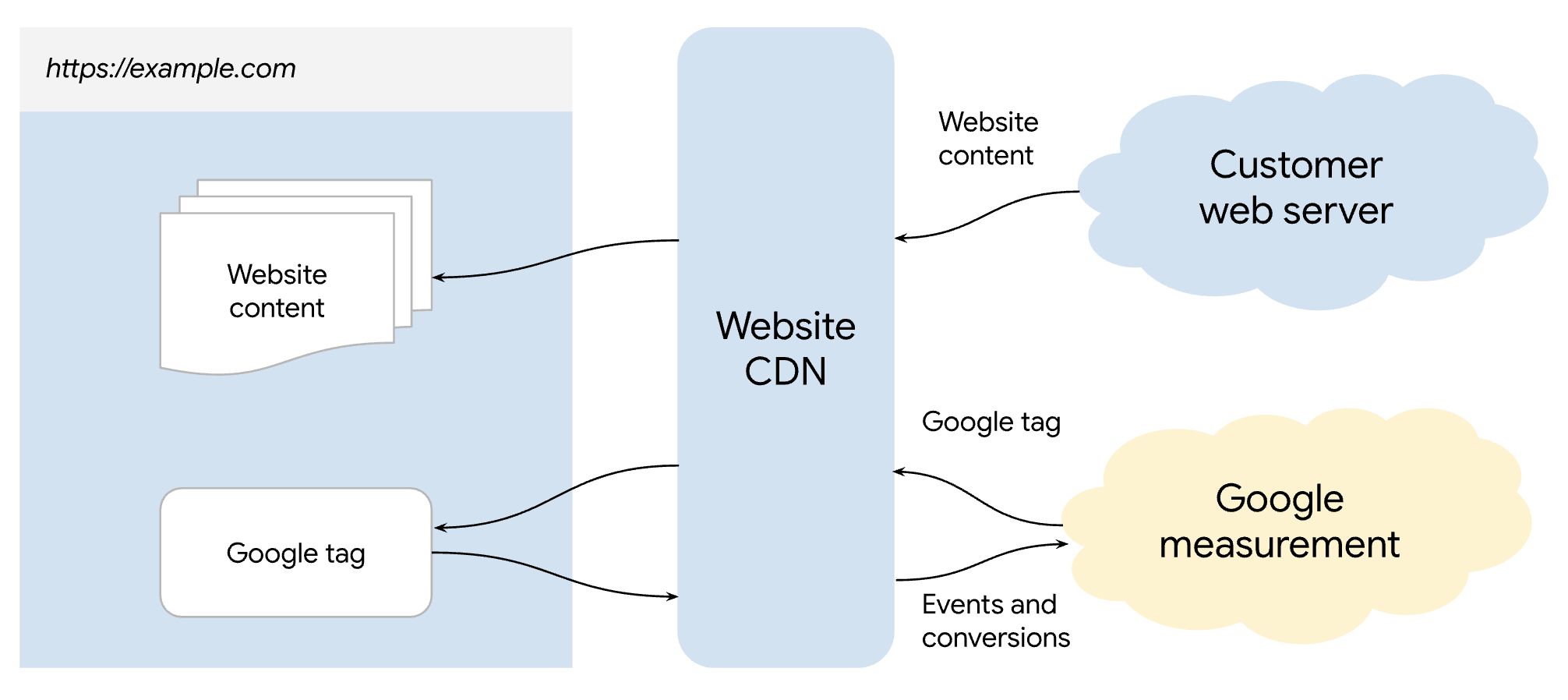
Google Tag Gateway is a lightweight tagging infrastructure that allows you to route Google measurement signals (GA4, Google Ads, Search Ads 360) through your own website domain rather than sending them directly to Google's servers.
Traditionally, your website loads scripts from googletagmanager.com. Browsers and ad blockers recognize this domain immediately.
With GTG, your website loads these scripts from a subfolder on your own domain, such as yourwebsite.com/metrics. Because the request looks like an internal site function rather than a third-party tracker, it achieves two main goals:
This is the most common question we get at JSLytics: "I already have Server-Side GTM. Do I need this?"
The short answer is: Probably not.
Think of GTG as "Server-Side Lite." It is designed for small-to-medium businesses that want the benefits of first-party data collection without the engineering overhead of managing cloud infrastructure. However, it lacks the flexibility of a full sGTM setup.
| Feature | Google Tag Gateway (GTG) | Server-Side GTM (sGTM) |
|---|---|---|
| Best For | SMBs focused on Google Ads/GA4 | Enterprise; Multi-platform stacks |
| Data Routing | Google properties only | Agnostic (Meta, TikTok, LinkedIn, etc.) |
| Cost | Free (excluding CDN costs) | Cloud hosting fees (GCP/AWS) |
| Technical Effort | Low (Automated CDN integration) | High (Cloud infrastructure required) |
| Data Enrichment | None (Passthrough only) | High (CRM, Firestore, API lookups) |
| Cookie Lifespan | Limited by ITP | Extended (True server-set cookies) |
There are two primary ways to deploy GTG, depending on your current tech stack.
If you use a major CDN like Cloudflare, the integration is almost native. This is the "easy button" for most marketers.
For more complex architectures hosted on Google Cloud, you can use an Application Load Balancer.
While GTG is a powerful tool, it is not a magic wand. Here are the caveats our analytics team wants you to know:
Once deployed, Google provides a "Check Engine Light" system with statuses ranging from Excellent to Urgent.
If you are debugging, the easiest way to verify success is to:
Google Tag Gateway is an excellent feature for businesses that rely heavily on Google Ads and GA4 but lack the resources to maintain a Google Cloud server instance. It is a "set it and (mostly) forget it" way to recover ~10% of your data.
However, for organizations serious about data ownership, vendor-neutral collection, and robust privacy compliance, Server-Side GTM remains the gold standard.